
Field Risk OS™ Platform Overview
Field Risk OS™ is a centralized operations, logistics, and documentation software for outdoor expedition programs. Outdoor program managers and field leaders can plan and map trips, design their season schedule, complete pre- and post-trip briefings, log incident reports and field comms, organize staff and participant information, and more on one intuitive platform.
Core Features
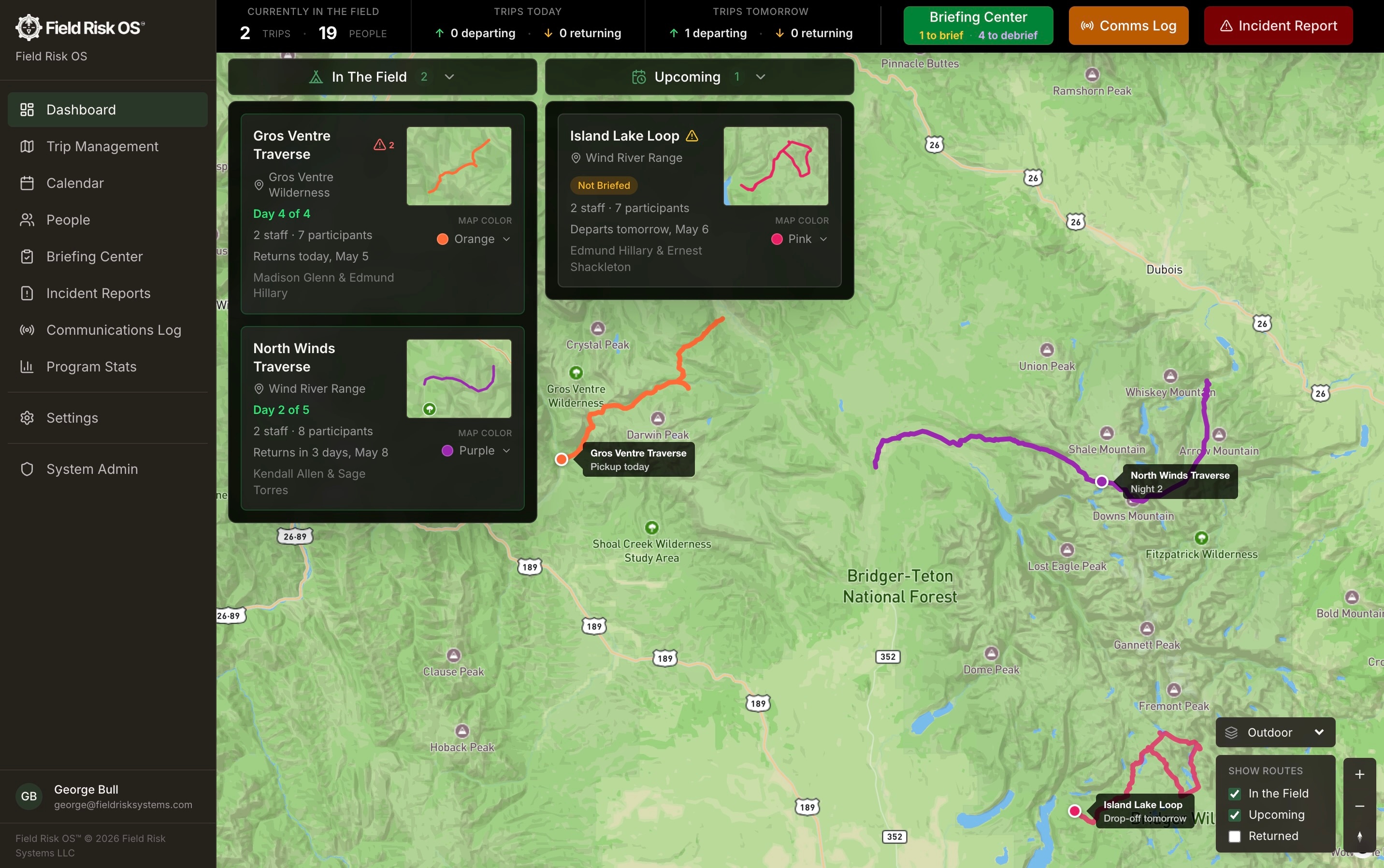
Program Dashboard
The dashboard surfaces the right information at the right time. See your upcoming and in-the-field trips, which trips need to be briefed or debriefed, and the next day's operational cadence. Log incidents and comms directly from the dashboard.
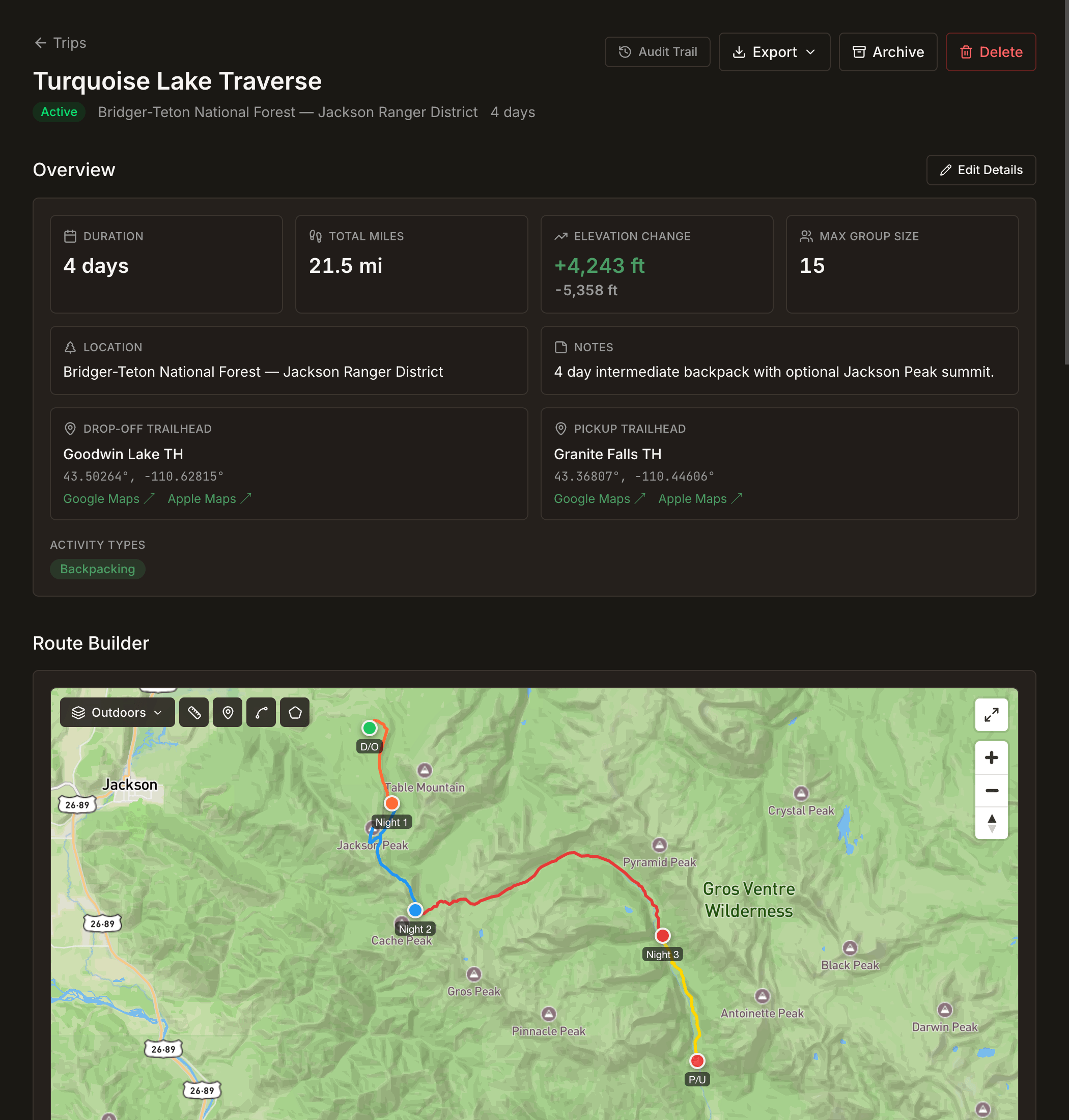
Trip Templates
Trip Templates contain details like routes, hazards, certification requirements, permit information, and more. The place for your team's trip-specific institutional knowledge. Build a trip template once, run it all season (and beyond).
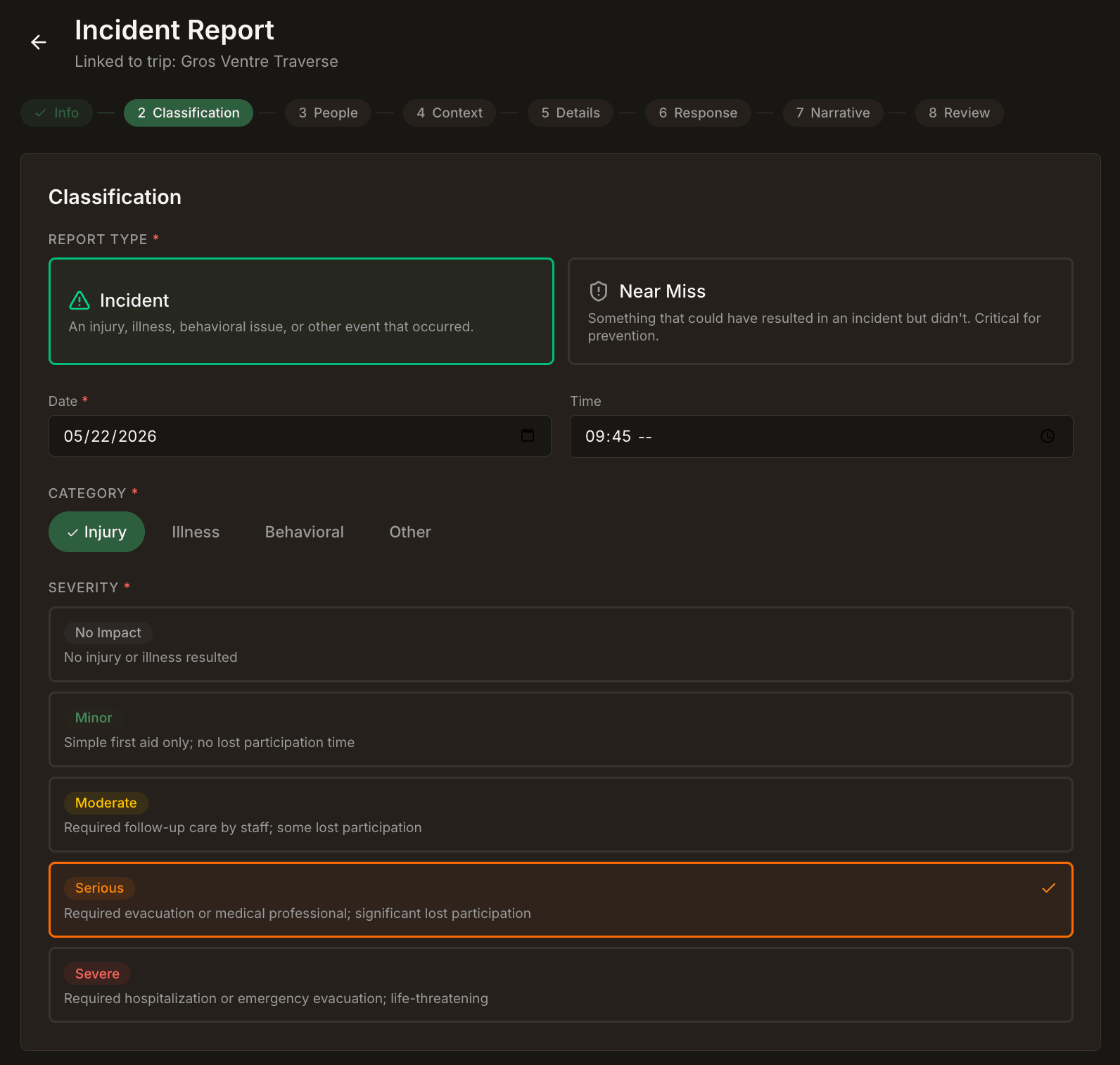
Robust Incident Reporting
Incident reports based on industry standards, connected to the trip data already in the platform. Incident data is surfaced so patterns can be recognized, and reports don't end up in a folder no one opens.
People and Certifications
Staff and participant profiles in one directory. Every certification with its expiration date. Trip assignments flag any gap before a trip is locked.
Pre-Trip Briefings
Pre-departure briefings draw on every piece of trip data. Once submitted, the briefing record is frozen and retained, an immutable operational snapshot.
Departure Checklists
A checklist to verify the trip has the gear and people it needs to depart.
Communication Logs
Log communications from your leaders in the field. These logs are structured and easy to use, and can be attached to specific trips and incidents.
Read the story on Field Debrief→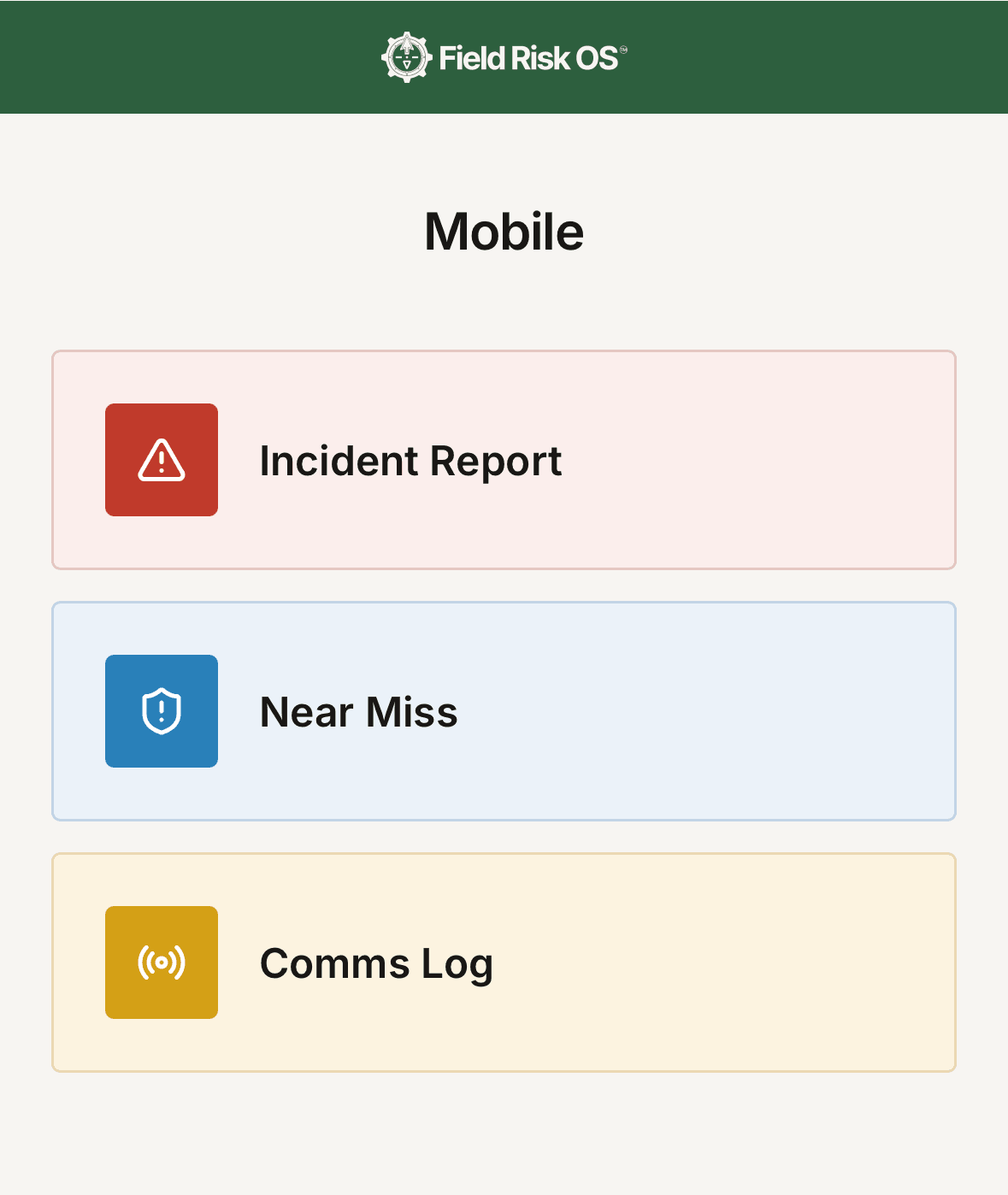
Field Risk OS™ Mobile
Incidents, near-misses, and field communications can be logged quickly through a phone-optimized mobile interface.
Post-Trip Debriefs
Structured debriefs after a trip returns from the field. Lessons carry forward instead of getting lost in the post-season shuffle.
Land Use and Agency Reporting
The platform calculates land usage as a byproduct of the documentation you’re already doing. Each day in a trip’s itinerary carries land manager information and participant data. Permit allocations are tracked by season and land unit. Your Usage Dashboard surfaces total participant-days, staff-days, usage by land unit, permit utilization percentages, and more. Complete your Forest Service, BLM, and NPS reporting more quickly with system exports.
Trip Planning and Mapping
Build a trip once, run it all season (and beyond). This is how trips are planned, mapped, briefed, and more on Field Risk OS™. Read the full write-up on Field Debrief
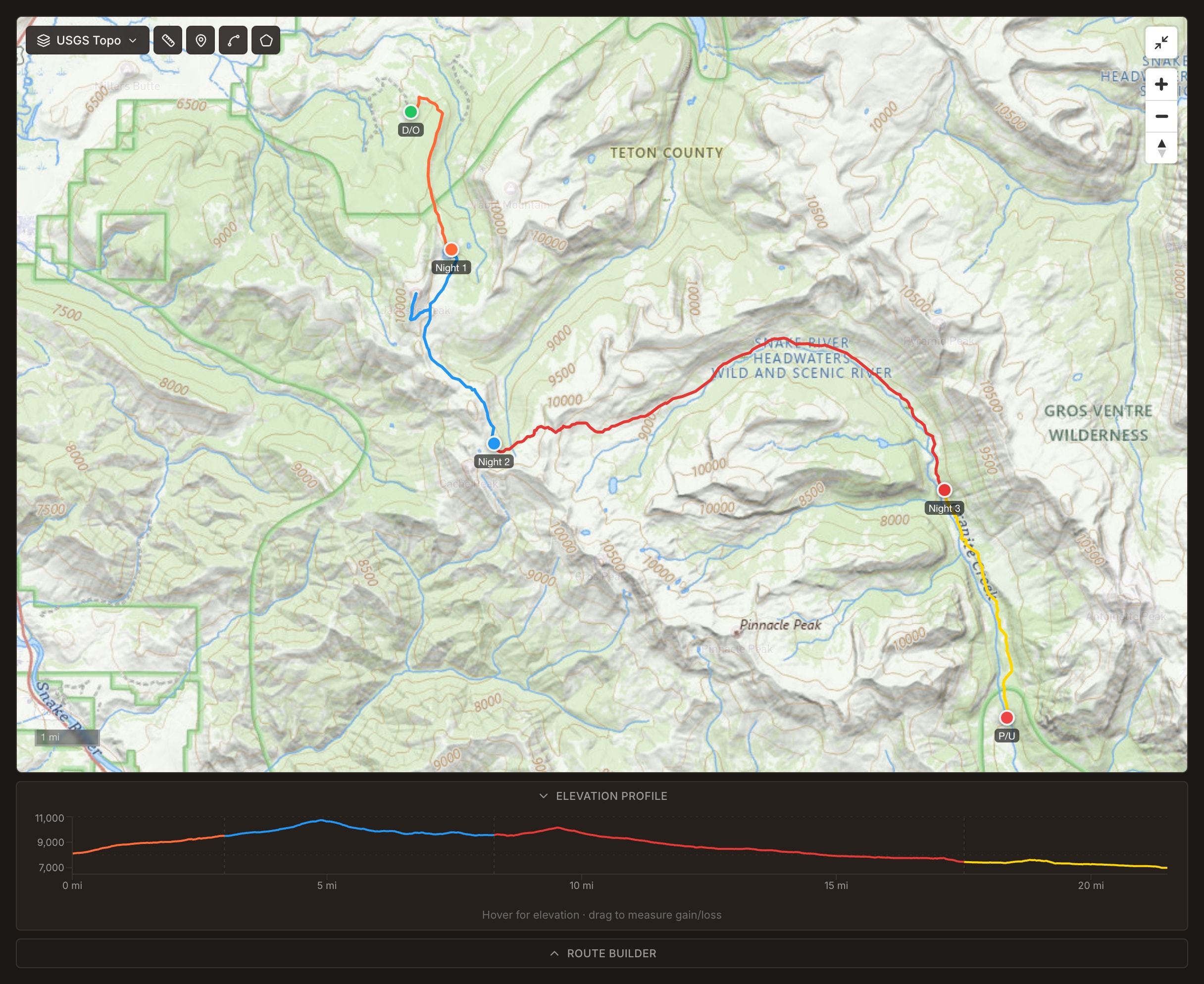
Route Building on USGS Topos
Map your route the way the trip actually runs: drop-off point, each day's travel, each night's campsite, then the pickup point, through a guided, intuitive route builder workflow. Add hazards, custom waypoints, and alternate and evacuation routes on the same map, and an elevation profile is built from terrain data along the actual route.
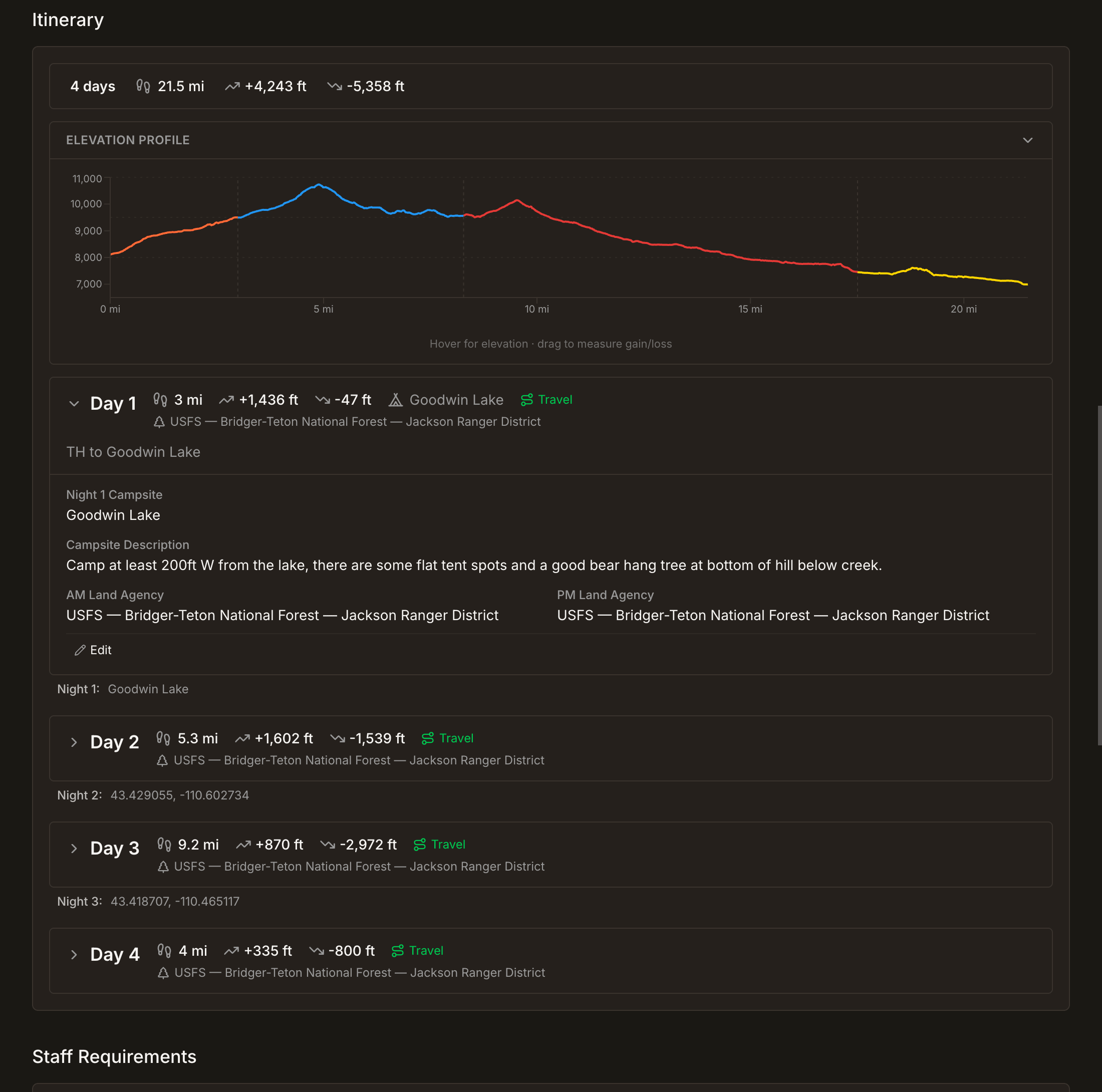
Day-by-Day Itineraries
The detailed itinerary is where you record the details that make the trip. Beyond the basics, this is where the best lunch spot is at the saddle before the day-two climb, or there is a good bear hang tree just east of the night-three campsite. Each day carries its mileage, elevation, and land agency information, so land-use reporting can be generated as needed without the manual calculations.

Trips Deployed from Templates
Trips deployed from a template inherit everything: route, itinerary, hazards, staffing requirements, and all the hard-learned lessons. Adjust the trip for each group as operations require. The template stays clean as the canonical version, and the system helps you keep track of when each trip needs to be briefed or debriefed.
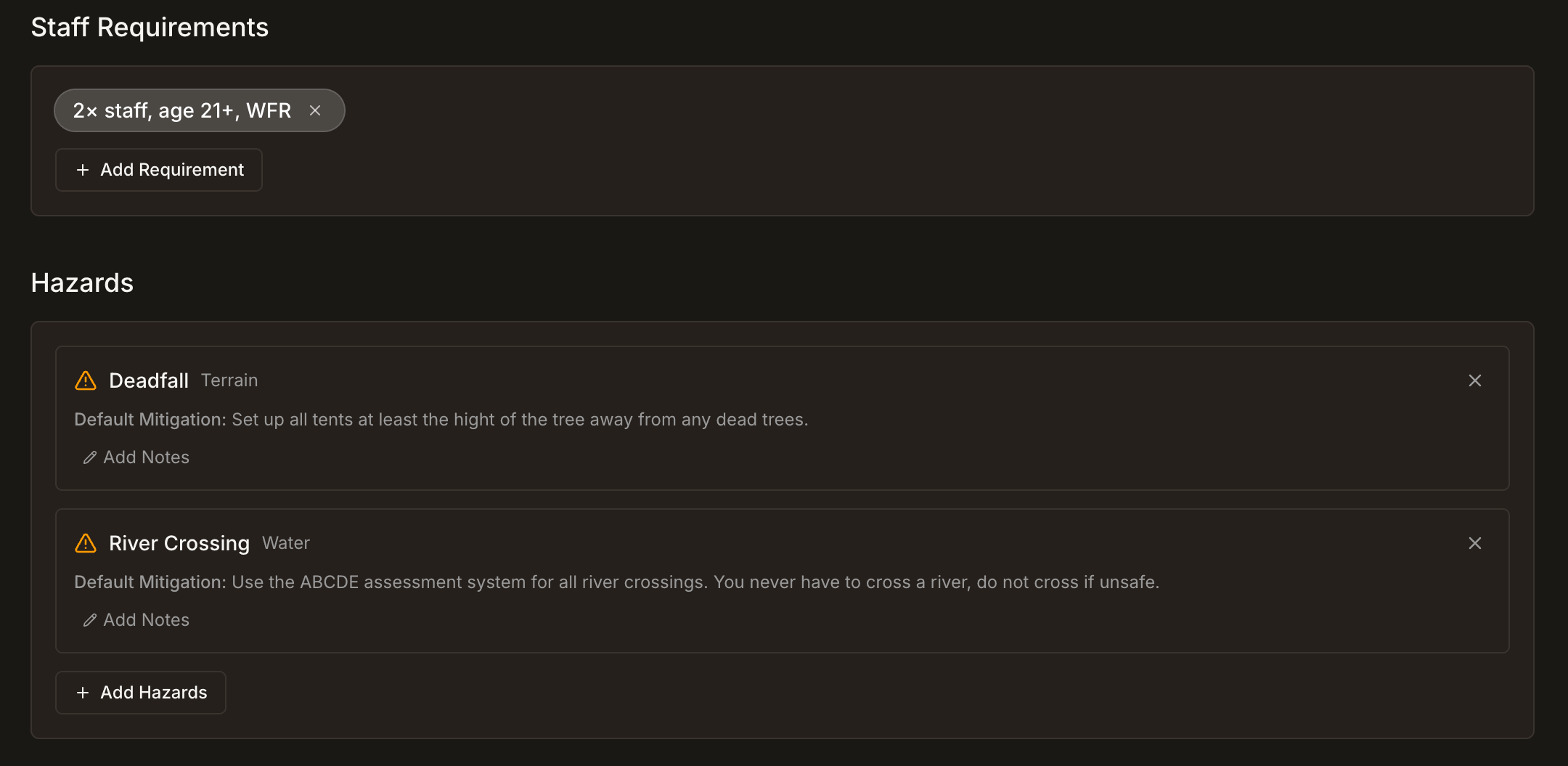
Staffing Requirements and Hazard Documentation
Set the staffing requirements for each template, and document the hazards specific to that route from your program's own hazard library. Trip assignments flag any gap before a trip is confirmed.
The Trip Lifecycle
Records are created as part of the workflow, not an extra step.
Who Field Risk OS™ is built for
Summer camps with expedition programs
Camps running multi-day backcountry trips.
Outdoor education organizations
Field schools, semester programs, course-based outdoor education.
University and school outdoor programs
Wilderness orientation trips, outdoor education degrees, university backcountry trips, outdoor experience programs.
Guide services
Commercial outfitters running multi-day expeditions.
A note on risk management and Field Risk OS™
Documentation on its own is not risk management.
Risk management at its core is driven by people doing the work: their training, their judgment, their decisions in the field, and the culture of the organizations that support them. Field Risk OS can influence your program’s risk management through organized documentation, not replace the judgment, training, knowledge, or experience of the people doing the work.

George Bull
Founder
Field Risk Systems™ LLC
I’m George, and I’m building Field Risk OS™. From coordinating Antarctic deep field operations, to managing a youth backpacking program in Wyoming, and guiding commercial expeditions in remote Alaska, I’ve spent years running trips on the same patchwork of spreadsheets, paper forms, and institutional knowledge you’re using today. This is the tool I’ve always wished I had.
If your program runs multi-day expeditions, let’s talk.
Talk to George